
Full Screen Caller ID15.1.8 - Google Play
You'll be able to see results in few seconds.
Publisher Description

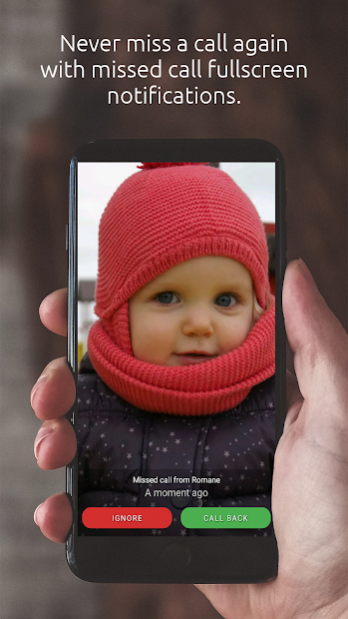
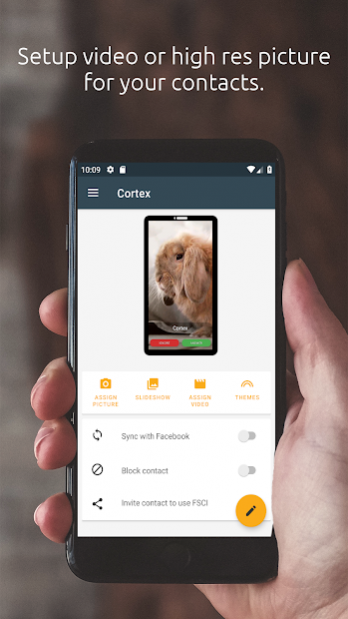
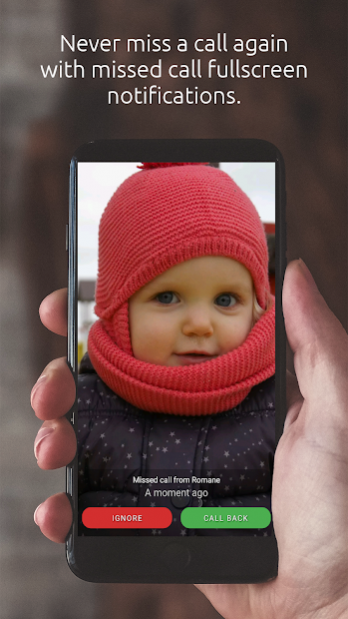
This is the original Android Full Screen Caller ID with more than 5 Millions downloads and 50.000+ paid installations ! Thanks all for your awesome support !!
The Full Screen Caller ID is a replacement caller screen for your Android Device.
Using this program you can customize the way your phone notifies you upon incoming & outgoing calls and missed calls.
--== Basic features ==--
- Full screen notification for incoming calls
- Full screen notification for outgoing calls
- Full screen notification for missed calls
- All buttons and texts are customizable
- Use pictures from internal camera, gallery
- Use videos from phone or from online gallery
- Customize caller design : pick colors, text size of the notifications
- Text-to-speech : the full screen caller id can read out loud who is calling you
--== Advanced features ==--
- Android integration : share pictures from any Android application to set pictures for your contacts
- Theme support
- Answer by buttons : no more slider to move to pick up the phone
- Answer by sliding the screen.
- Backup and restore all settings and pictures.
- Video caller Id
- Block annoying contacts
--== How to use ==--
Please check the youtube video to learn how to use the software.
Full Screen Caller ID will work instantly once installed but you have to assign HD pictures to your contacts to avoid full screen blurry pictures. HD pictures must be assigned from the Full Screen Caller ID menu, not from the stock Android contact application.
--== Contact me ==--
Contact me if you have feature request or bug report. When reporting a bug, please describe the problem precisely and write your device reference and android version.
I work alone on this project so I won't be able to answer every single mail. However I read all mails and will fix reported bugs.
About Full Screen Caller ID
The company that develops Full Screen Caller ID is Christophe Nys. The latest version released by its developer is 15.1.8.
To install Full Screen Caller ID on your Android device, just click the green Continue To App button above to start the installation process. The app is listed on our website since 2020-07-27 and was downloaded 0 times. We have already checked if the download link is safe, however for your own protection we recommend that you scan the downloaded app with your antivirus. Your antivirus may detect the Full Screen Caller ID as malware as malware if the download link to com.androminigsm.fscifree#@from@# is broken.
How to install Full Screen Caller ID on your Android device:
- Click on the Continue To App button on our website. This will redirect you to Google Play.
- Once the Full Screen Caller ID is shown in the Google Play listing of your Android device, you can start its download and installation. Tap on the Install button located below the search bar and to the right of the app icon.
- A pop-up window with the permissions required by Full Screen Caller ID will be shown. Click on Accept to continue the process.
- Full Screen Caller ID will be downloaded onto your device, displaying a progress. Once the download completes, the installation will start and you'll get a notification after the installation is finished.
Program Details
System requirements
Download information
Pricing
Version History
version 15.1.8
posted on 2020-07-27
version 15.1.8
posted on 2020-06-15
Updated API and GRDP consent dialog
version 15.1.5
posted on 2020-01-13
Fix : crash on contact preview
version 15.1.3
posted on 2020-01-02
- New : Support for custom ringtones
- Better support for phones with notch
- Fixed wrong height for devices with soft keyboards
- Fixed : Speed dial settings outside device screen
- New : support for video preview in contact list
- New : shape for contacts images in contact list
- Update : better image quality when saving a picture
- Fixed : Dialer partially hidden on some devices
- Fixed : default video for unknown contacts
version 15.0.6
posted on 2019-12-09
- Fixed : Dial number from webpage
- Fixed : Default video for contact without pictures
version 15.0.4
posted on 2019-11-12
- Bug fixes
- Fixed locked WakeLock
version 15.0.1
posted on 2019-10-31
- New UI
- New history screen
- Long touch on contact pictures to call
- Fixed bug when the call is closed when tapping the overlay call icon
- Video editor no longer in a separate application
version 14.4.3
posted on 2019-10-24
- New translations : Thai, Hebrew, Indonesian
- Fixed bug where the user could not use the bottom of the phone if a notification overlay is displayed
version 14.4.2
posted on 2019-10-08
- Contact list restored to last known position when going back from contact detail
- Fixed crash when leaving the app while updating the contact list
version 14.4.0
posted on 2019-09-07
- Better perf on incoming calls
- Support for Android 10
- Fixed bug with double back press to exit
- Updated FSCI pricing plan
- Fixed bug with SSUD codes
Disclaimer
Official Google Play Link
We do not host Full Screen Caller ID on our servers. We did not scan it for viruses, adware, spyware or other type of malware. This app is hosted by Google and passed their terms and conditions to be listed there. We recommend caution when installing it.
The Google Play link for Full Screen Caller ID is provided to you by apps112.com without any warranties, representations or guarantees of any kind, so access it at your own risk.
If you have questions regarding this particular app contact the publisher directly. For questions about the functionalities of apps112.com contact us.
